Water Ejector Tool

165Hz tone ejects water from mobile speakers. Set volume to MAX.

No Sound? Check these:
  • Physical Switch: Check the side of your device to ensure the hardware mute switch is turned off.
  • Control Panel: Swipe down to open settings and tap the digital "bell" or "speaker" icon to unmute. Ensure media volume is MAX.
  • Browser Settings: Check that your mobile browser hasn't muted this specific tab or blocked audio playback.
ADVERTISEMENT SPACE

Universal Web Ejection Tool

When water enters the micro-cavities of a smartphone speaker, surface tension causes the liquid to cling stubbornly to the delicate acoustic mesh. While many users instinctively look for third-party profiles or specific downloadable apps to eject water, it simply isn't necessary. This highly optimized web tool generates the exact same 165Hz low-frequency audio tone directly from your mobile browser.

Because there is absolutely no app download or installation required, this remains the safest, fastest, and most universally compatible method to expel moisture from any modern iOS, Android, or tablet device. The specific 165Hz frequency is scientifically proven to create the optimal mechanical vibration required to break the surface tension of trapped water droplets, physically forcing them out of the speaker housing.

Does my phone have a built-in Water Lock?

Unlike high-end smartwatches that feature a dedicated, built-in "Water Lock" function directly within their Control Center, most modern smartphones rely entirely on their passive IP68 water resistance rating. If water breaches the bottom grille, the device's operating system might intelligently warn you about liquid detected in the charging connector, but it will not automatically initiate an audio sequence to push the water out of the speaker mesh.

ADVERTISEMENT SPACE

Steps to fix a wet speaker

  • Power Disconnect: Remove all charging cables immediately. Attempting to charge a device while moisture is present in the port can cause catastrophic short circuits.
  • Maximize Output: Turn your media volume up to the absolute maximum using the physical hardware buttons on the side of your device to ensure the sound wave has enough physical force.
  • Gravity Assist: Run our 165Hz tone while holding the device completely vertical, ensuring the bottom speakers are facing directly toward the floor to allow gravity to assist the ejection process.
  • System Verification: Wait patiently for your device to clear any internal "Liquid Detected" warnings from the lock screen before attempting to plug a power cable back into the port.

Water Damage Emergency Checklist

Water Damage Emergency Phone Checklist
ADVERTISEMENT SPACE

Dropping your smartphone in the sink, pool, or even getting caught in a sudden, heavy downpour is a highly stressful experience. Even with modern IP68 water resistance ratings—which protect against temporary submersion—liquid entering your speaker grilles, unprotected charging ports, or microphone channels can cause immediate temporary audio distortion or permanent logic board failure. If your device has just been submerged, acting quickly, calmly, and correctly is the critical difference between a minor temporary inconvenience and a massive, expensive repair bill.

Step 1: Power Down & Disconnect

The single most important step after your phone takes an unexpected plunge is to immediately eliminate the flow of active electricity. Water itself is highly conductive, and when it inevitably meets the active electrical currents running inside your motherboard, it instantly causes destructive short circuits. Do not press any unnecessary buttons to check if it works, as the kinetic action can physically force water droplets deeper into the housing. Instead, immediately turn the phone off using the standard, careful power-down sequence. If it is currently plugged into a wall charger, power bank, or wired headphones, unplug them immediately. Charging a wet device can permanently fry the internal battery chemistry and the sensitive charging IC (Integrated Circuit).

Step 2: Dry the Exterior Surface

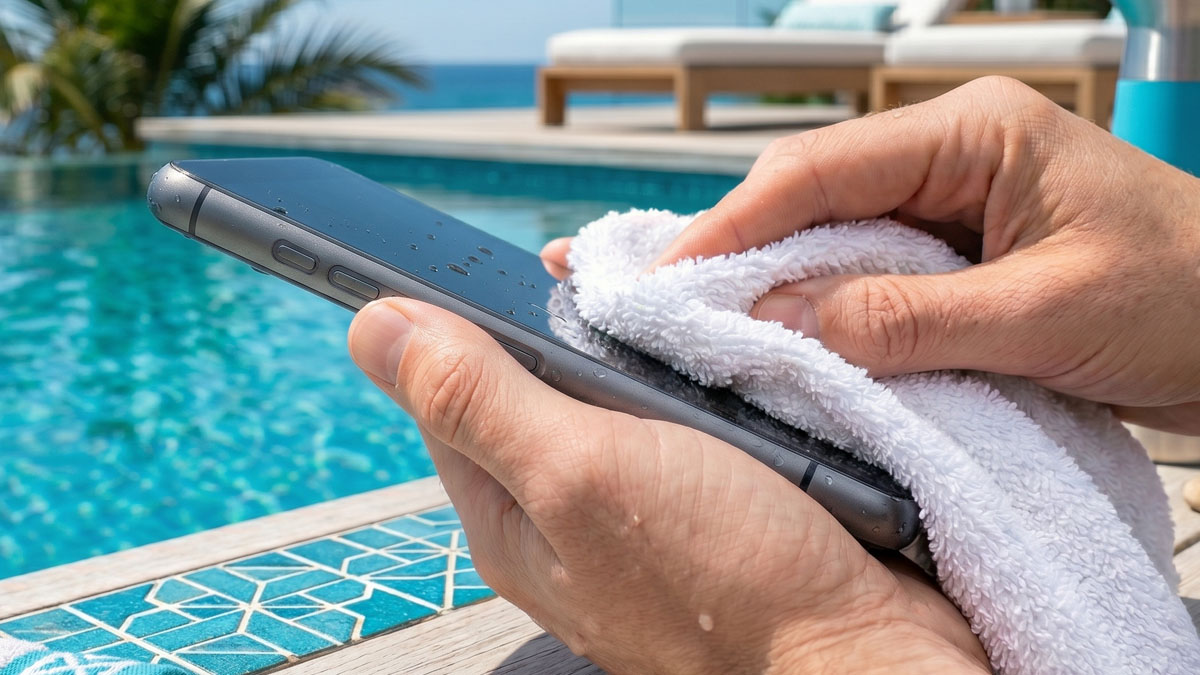
Once the device is safely powered down, use a clean lint-free cloth, a soft microfiber towel, or a highly absorbent paper towel to gently and meticulously dry the entire exterior of the device. Pay special, careful attention to the microscopic seams around the glass screen, the raised camera bump, and the physical volume buttons. Do not aggressively shake the device in a panic, as the intense kinetic force can easily push surface droplets deeper into the internal cavities where they cannot easily evaporate.

Recommended Service

Protect Your Device

Accidents happen to everyone. If the damage is already done, get a fast, free quote on comprehensive phone insurance to cover future liquid damage, unexpected screen cracks, and outright theft.

Get a Free Quote

Disclosure: This link may earn us a commission.

Step 3: Avoid the Dangerous "Rice Myth"

For years, the internet has universally suggested putting a wet phone in a bag of uncooked rice. Do not do this under any circumstances. Major device manufacturers, including Apple and Samsung, explicitly warn against using rice in their official support documents. The fine dust and starch particles from the grains can easily get lodged deeply in the charging port and speaker grilles, mixing with the existing water to create a thick paste that hardens like cement and permanently ruins the internal components. Furthermore, rice simply isn't an effective desiccant compared to proper alternatives. Instead, rely entirely on natural airflow. Leave your powered-down phone in a dry, warm area with a gentle ambient breeze, or use dedicated silica gel packets if you happen to have them.

ADVERTISEMENT SPACE

Step 4: Expel Trapped Water

After the exterior is completely dry and the phone has been left alone in a well-ventilated space for several hours, you can carefully power it back on. If the screen and touch sensors are working perfectly but the audio still sounds incredibly muffled or crackly, water is actively trapped against the delicate speaker diaphragm. Navigate back to our Water Ejector Tool. Hold your phone vertically with the bottom speakers pointing straight down towards an absorbent towel. Play the precise 165Hz tone at maximum volume. The intense, low-frequency sound waves will physically vibrate the diaphragm, successfully pushing the trapped moisture out through the protective mesh.

Step 5: Monitor the Ports

Even if the speakers are entirely clear and sound great, modern operating systems may display a persistent "Liquid Detected in Connector" warning. Do not override this crucial warning unless it is an absolute life-or-death emergency. Keep the device unplugged, place it upright so natural gravity can pull any remaining moisture down, and wait patiently for the alert to disappear entirely from your screen before attempting to plug in a standard charging cable.

Top-Rated Waterproof Gear
Waterproof Phone Cases and Dry Bags
ADVERTISEMENT SPACE

While reactive software tools like our 165Hz acoustic ejector are incredibly effective for clearing out delicate speaker grilles after an accidental, unexpected splash, the absolute best defense against catastrophic liquid damage is proactive, high-quality physical protection. Whether you are heading out to the beach for the day, kayaking down a river, hiking in the unpredictable rain, or just want absolute peace of mind while relaxing by the pool, investing in high-quality waterproof accessories is absolutely essential. Not all "water-resistant" gear is created equal, so we have comprehensively broken down the primary categories you need to know about before making a purchase.

Universal Waterproof Pouches

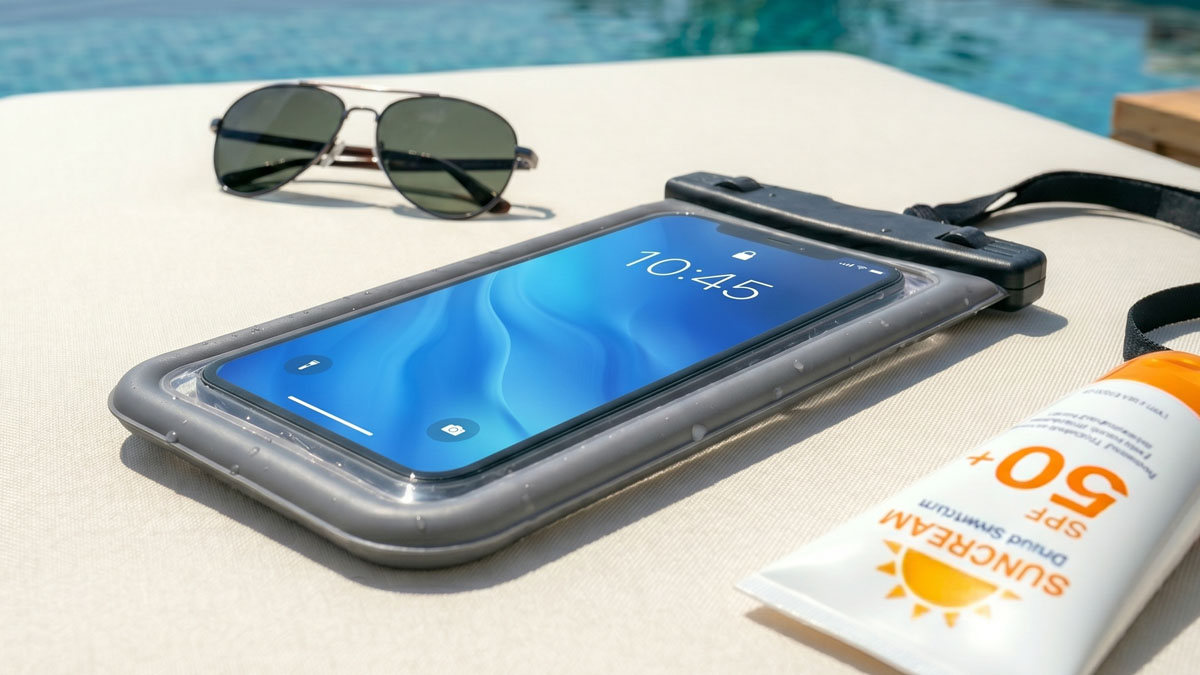
If you don't want to use a massive, bulky waterproof case every single day but desperately need guaranteed protection for a quick weekend trip, a universal waterproof pouch is easily your best option. These adaptable pouches use a robust, multi-stage snap-and-lock seal mechanism at the top to completely keep out water, fine sand, and dirt. When shopping, you must look for pouches with an official IPX8 certification, which mathematically guarantees the pouch can be continuously submerged in water over 1 meter deep for extended periods without leaking a single drop.

The highest quality pouches on the market are constructed from high-clarity TPU (Thermoplastic Polyurethane). This premium material maintains full capacitive touchscreen functionality, allowing you to comfortably text, browse the web, and even take stunning underwater photos without ever removing the phone from the protective sleeve. Keep in mind that advanced biometric fingerprint scanners will generally not work through the thick plastic layer, but optical Face ID or standard passcode entry will function perfectly.

Top Pick

Pro-Grade Waterproof Pouch

Get the ultimate IPX8 rated dry pouch. Features ultra-clear optical windows for perfect underwater photography and a fully adjustable, highly secure lanyard.

View Deal on Amazon

Disclosure: This link may earn us a commission.

Heavy-Duty Everyday Cases

For power users who work rigorously outdoors, frequently enjoy extreme sports, or simply have a terrible habit of dropping their expensive devices, a permanent heavy-duty waterproof case is an incredibly wise, long-term investment. Unlike a temporary pouch, these complex cases completely replace your standard, thin phone case. They feature heavily integrated screen protectors, deeply rubberized shock-absorbing impact bumpers, and specially sealed acoustic membranes covering the microphones and speakers to allow sound to pass while blocking liquid.

When actively shopping for a heavy-duty daily case, carefully inspect the port covers. The weakest link in absolutely any waterproof case design is the flexible rubber flap covering the primary charging port. Make sure it seals tightly, snaps securely, and doesn't easily pop open. Also, be fully aware that completely sealed cases can sometimes muffle your natural voice during phone calls; you may need to rely more heavily on wireless Bluetooth headsets or manually open the charging flap temporarily to let air and sound flow better during particularly long conversations.

ADVERTISEMENT SPACE

Floating Dry Bags for Travel

If you are paddleboarding, boating, or camping in wet conditions, you inevitably need a comprehensive storage solution for more than just your smartphone. Rugged roll-top dry bags crafted from thick 500D PVC tarpaulin are the absolute gold standard for serious outdoor enthusiasts. You can comfortably store your phone, electronic car keys, leather wallet, and a full change of dry clothes safely inside. The critical key feature of a truly good dry bag is its natural buoyancy—if properly rolled and sealed with enough trapped ambient air inside, the bag will actively float if it accidentally falls overboard, entirely preventing your irreplaceable valuables from sinking endlessly to the dark bottom of the lake.

Pro Tip: Test Before You Trust

Before blindly putting your incredibly expensive smartphone into a brand-new, untested waterproof pouch or heavy-duty case, always perform a mandatory tissue test. Place a completely dry piece of tissue paper or paper towel inside the empty case, seal it completely according to the instructions, and submerge it entirely in a large bowl of water for at least 30 minutes. Weigh it down with a heavy coffee mug if it aggressively tries to float. Afterward, thoroughly dry the outside of the case, carefully open it up, and closely inspect the tissue. If it's completely dry without a single damp spot, your gear is officially ready to face the real world.
Speaker Care & Maintenance

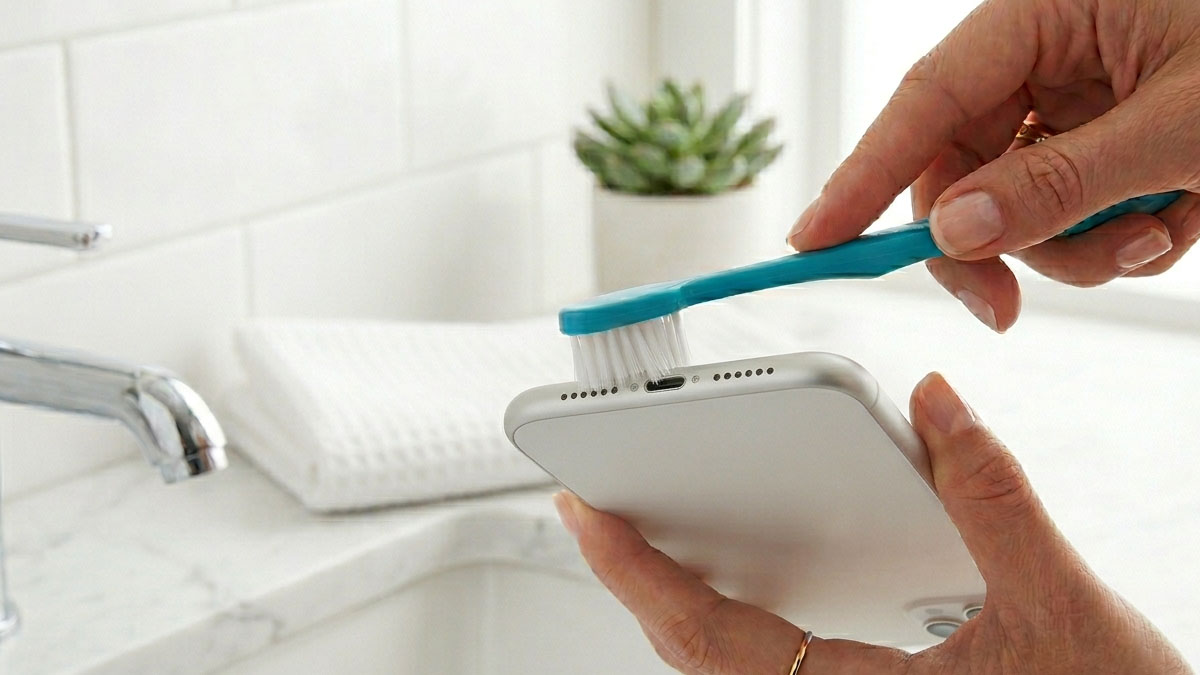
Macro view of cleaning a smartphone speaker mesh
ADVERTISEMENT SPACE

We frequently take our incredible smartphone audio entirely for granted until the maximum volume drops dramatically or the sound inexplicably becomes distorted and unlistenable. Your device spends countless hours every single day inside tight pockets, messy purses, and dusty backpacks—environments heavily filled with lint, microscopic dust, and abrasive debris. Over time, this inevitable debris aggressively packs itself into the tiny, fragile speaker grilles and microphone ports, heavily muffling your audio playback and significantly degrading your crucial call quality. Proper, highly careful maintenance is absolutely required to keep your phone sounding exactly like it just came pristine out of the original box.

The Danger of Pocket Lint

The bottom edge of your smartphone acts as a relentless magnet for pocket lint. Every single time you quickly slide your phone into your denim jeans, the natural friction aggressively pushes tiny lint fibers directly into the exposed charging port and speaker meshes. When combined with natural environmental humidity, salty sweat from your hands, or a light, accidental splash of water, this loose lint heavily compresses into a dense, felt-like, impenetrable barrier.

You might only notice the negative effects very slowly over several months: you suddenly have to turn the volume much higher than usual to clearly hear videos, or your callers constantly complain that you sound incredibly muffled and distant. Before wrongly assuming your internal hardware is permanently broken, performing a thorough, careful deep clean is always the first logical diagnostic step.

Essential Tool

Precision Cleaning Kit

Stop dangerously using sharp paperclips that permanently damage your phone! Get a professional anti-static brush and specialized putty kit designed specifically for delicate mobile device ports.

Shop Cleaning Kits

Disclosure: This link may earn us a commission.

How to Safely Clean Speaker Meshes

Rule Number One: Never use metal objects. Needles, safety pins, and standard paperclips are far too rigid and sharp. The speaker mesh is incredibly fragile, and the delicate, vital water-resistant membrane sits directly behind it. Accidentally puncturing that microscopic membrane will instantly and permanently destroy your phone's valuable IP68 water resistance rating.

  1. Soft Bristle Brushes: Only use a clean, totally dry, exceptionally soft-bristled toothbrush or a dedicated anti-static electronics brush. Gently and carefully brush the speaker grille at a slight angle to successfully dislodge dry dirt without accidentally pushing it deeper into the housing.
  2. Mounting Putty: A highly effective, little-known trick used by professional repair technicians is standard adhesive mounting putty (like Blu Tack). Vigorously knead a very small piece until it is warm and highly pliable, then very gently press it superficially against the speaker grille. Pull it away quickly. The sticky putty will safely grab hold of surface dust and lint and pull it cleanly out.
  3. Avoid Compressed Air: Many well-meaning people naturally reach for a can of compressed air to easily blow out dust. For modern, tightly sealed smartphones, this is a terrible, destructive idea. Canned air forcefully pushes air at an incredibly high, dangerous velocity. Pointing it directly at a tiny speaker or microphone port can easily blow out the fragile acoustic diaphragm or force abrasive debris much deeper into the sensitive logic board chamber.
ADVERTISEMENT SPACE

Restoring Acoustic Clarity After Cleaning

Once you have highly successfully and physically removed the dry, visible debris from the outer metal or plastic mesh, there may still realistically be microscopic dust particles lightly and stubbornly clinging to the unseen inner surfaces. This is exactly where acoustic vibration comes incredibly in handy.

Switch over to our Water Ejector Tool. While it is primarily designed to push heavy water droplets out using a precisely tuned 165Hz low-frequency wave, that exact same intense, rapid vibration causes the internal speaker diaphragm to physically move back and forth incredibly rapidly. Running the tool for 15 solid seconds at maximum volume while holding the phone face down can effectively shake loose the final, microscopic particles of stubborn dust, successfully restoring crisp, perfectly clear audio to your device.

Perform a remarkably quick wipe-down with a clean microfiber cloth and a very tiny dab of 70% isopropyl alcohol every few weeks, and your smartphone will reliably remain visually pristine, highly hygienic, and acoustically perfect for many years to come.

Privacy Policy

At Water Ejector Tool, we take your privacy extremely seriously. Because our core service operates entirely within your local web browser using native HTML5 and JavaScript AudioContext APIs, we do not collect, process, or store any personal acoustic data, hardware identifiers, or usage telemetry on our servers. You do not need to create an account, provide an email address, or download any software to use this tool.

We utilize standard third-party services, such as Google AdSense for displaying advertisements and Skimlinks for affiliate link management. These trusted third-party vendors may use cookies, web beacons, and similar technologies to collect standard, non-personally identifiable information about your visits to this and other websites in order to provide highly relevant advertisements about goods and services of interest to you. You can manage your cookie preferences through your personal browser settings.

Terms of Service

By accessing and utilizing the Water Ejector Tool website, you explicitly agree to be fully bound by these Terms of Service. Our 165Hz acoustic tool is provided completely "as is" and "as available" without any express or implied warranties of any kind. While the specific 165Hz frequency is widely recognized as effective for assisting in the expulsion of moisture from standard mobile speaker grilles, we cannot legally guarantee that it will fix all instances of water damage.

You acknowledge that using this tool is done entirely at your own risk. The operators of this website shall not be held liable for any direct, indirect, incidental, or consequential hardware damage, data loss, or voided warranties resulting from your attempt to repair a water-damaged device. Always follow your device manufacturer's official emergency guidelines regarding liquid exposure.

About Us

The Water Ejector Tool was created to solve a common problem. We noticed people were downloading bloated apps just to play a simple 165Hz tone, so we built this lightweight web alternative.

This site is designed to be a completely self-serve utility. By leveraging modern web browsers, we've provided a free tool that requires zero downloads, respects user privacy, and helps clear water from your device's speakers quickly and easily.

Contact

As this is a completely free, self-serve web utility, we do not offer personal technical support or individual device repair advice. If your smartphone is severely water-damaged, we strongly recommend taking it to a professional repair technician.

Email: kestonstudios@gmail.com

For business inquiries, advertising opportunities, or partnership proposals, please reach out via email. As a free utility, our small team is only able to respond to relevant business communications.