Top-Rated Waterproof Gear
ADVERTISEMENT SPACE
While reactive software tools like our 165Hz acoustic ejector are incredibly effective for clearing out delicate speaker grilles after an accidental, unexpected splash, the absolute best defense against catastrophic liquid damage is proactive, high-quality physical protection. Whether you are heading out to the beach for the day, kayaking down a river, hiking in the unpredictable rain, or just want absolute peace of mind while relaxing by the pool, investing in high-quality waterproof accessories is absolutely essential. Not all "water-resistant" gear is created equal, so we have comprehensively broken down the primary categories you need to know about before making a purchase.
Universal Waterproof Pouches
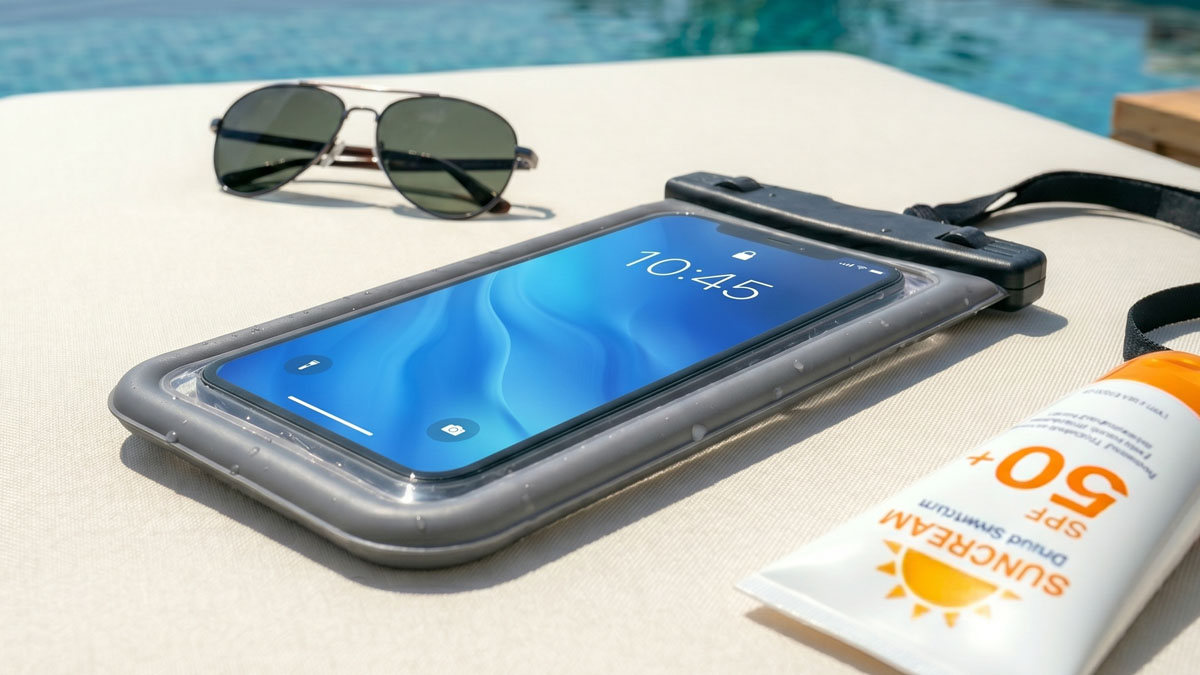
If you don't want to use a massive, bulky waterproof case every single day but desperately need guaranteed protection for a quick weekend trip, a universal waterproof pouch is easily your best option. These adaptable pouches use a robust, multi-stage snap-and-lock seal mechanism at the top to completely keep out water, fine sand, and dirt. When shopping, you must look for pouches with an official IPX8 certification, which mathematically guarantees the pouch can be continuously submerged in water over 1 meter deep for extended periods without leaking a single drop.
The highest quality pouches on the market are constructed from high-clarity TPU (Thermoplastic Polyurethane). This premium material maintains full capacitive touchscreen functionality, allowing you to comfortably text, browse the web, and even take stunning underwater photos without ever removing the phone from the protective sleeve. Keep in mind that advanced biometric fingerprint scanners will generally not work through the thick plastic layer, but optical Face ID or standard passcode entry will function perfectly.
Top Pick
Pro-Grade Waterproof Pouch
Get the ultimate IPX8 rated dry pouch. Features ultra-clear optical windows for perfect underwater photography and a fully adjustable, highly secure lanyard.
View Deal on Amazon
Disclosure: This link may earn us a commission.
Heavy-Duty Everyday Cases
For power users who work rigorously outdoors, frequently enjoy extreme sports, or simply have a terrible habit of dropping their expensive devices, a permanent heavy-duty waterproof case is an incredibly wise, long-term investment. Unlike a temporary pouch, these complex cases completely replace your standard, thin phone case. They feature heavily integrated screen protectors, deeply rubberized shock-absorbing impact bumpers, and specially sealed acoustic membranes covering the microphones and speakers to allow sound to pass while blocking liquid.
When actively shopping for a heavy-duty daily case, carefully inspect the port covers. The weakest link in absolutely any waterproof case design is the flexible rubber flap covering the primary charging port. Make sure it seals tightly, snaps securely, and doesn't easily pop open. Also, be fully aware that completely sealed cases can sometimes muffle your natural voice during phone calls; you may need to rely more heavily on wireless Bluetooth headsets or manually open the charging flap temporarily to let air and sound flow better during particularly long conversations.
ADVERTISEMENT SPACE
Floating Dry Bags for Travel
If you are paddleboarding, boating, or camping in wet conditions, you inevitably need a comprehensive storage solution for more than just your smartphone. Rugged roll-top dry bags crafted from thick 500D PVC tarpaulin are the absolute gold standard for serious outdoor enthusiasts. You can comfortably store your phone, electronic car keys, leather wallet, and a full change of dry clothes safely inside. The critical key feature of a truly good dry bag is its natural buoyancy—if properly rolled and sealed with enough trapped ambient air inside, the bag will actively float if it accidentally falls overboard, entirely preventing your irreplaceable valuables from sinking endlessly to the dark bottom of the lake.
Pro Tip: Test Before You Trust
Before blindly putting your incredibly expensive smartphone into a brand-new, untested waterproof pouch or heavy-duty case, always perform a mandatory tissue test. Place a completely dry piece of tissue paper or paper towel inside the empty case, seal it completely according to the instructions, and submerge it entirely in a large bowl of water for at least 30 minutes. Weigh it down with a heavy coffee mug if it aggressively tries to float. Afterward, thoroughly dry the outside of the case, carefully open it up, and closely inspect the tissue. If it's completely dry without a single damp spot, your gear is officially ready to face the real world.